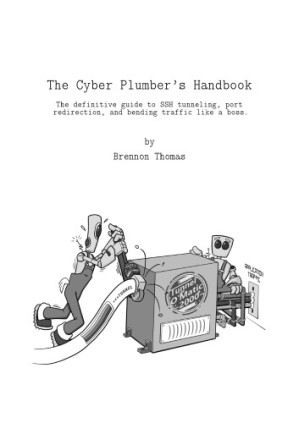
The Cyber Plumber’s Handbook 🔍
Brennon Thomas
Opdisk LLC, 1.3, 0
English [en] · PDF · 5.0MB · 📘 Book (non-fiction) · 🚀/lgli/lgrs/nexusstc/zlib · Save
description
1.2 Intended Audience......Page 7
1.4 Thanks and Contact Information......Page 8
2.3 Linux BASH aliases......Page 9
2.4 Windows Doskey Macros (aka Windows aliases)......Page 10
2.5.2 SSH Client......Page 12
2.5.3 Netcat......Page 13
2.6.2 House Analogy......Page 14
3.2 First Connection......Page 17
3.3 Netcat Chat......Page 18
3.5 Gophish Admin Panel......Page 19
3.6 Ghost Blog Admin Panel......Page 21
4.1 Overview......Page 23
4.3 SSH to Linux Target......Page 24
4.4 SSH Tunnels, within Tunnels, within Tunnels......Page 25
4.5 Remote Desktop Protocol through a Jumpbox......Page 27
4.6 Web Browsing......Page 29
4.7 Throwing Exploits......Page 31
5.2 First Connection......Page 35
5.3 Netcat Chat......Page 36
5.4 Scantron Agent Tunnels......Page 37
6.2 Netcat Chat......Page 41
6.3 WWW Server to 127.0.0.1......Page 42
6.4 Exploit Callbacks Using -R......Page 43
7.3 Netcat Chat......Page 47
7.4 Web Browsing......Page 49
7.4.2 Chrome......Page 50
7.5 curl......Page 51
7.6 nmap Scanning......Page 52
7.7 Wfuzz Web Directory Brute Forcing......Page 53
8.2 Linux Redirector - redir......Page 55
8.3 Linux Redirector - rinetd......Page 56
8.4 Windows Redirector - netsh......Page 57
8.5 netsh + Meterpreter = <3......Page 59
8.6 Windows Redirector - fpipe......Page 60
8.7 Windows Redirector - winrelay......Page 61
8.8 Shadowsocks - An SSH -D Alternative......Page 62
8.9 Sharing Port Forwards and SOCKS Proxies......Page 64
8.10 Meterpreter portfwd Module......Page 65
8.11 Metasploit SOCKS Proxies......Page 67
8.12 Privilege Escalation......Page 71
9.3 Chapter Photos......Page 77
9.4 Change Log......Page 78
Index......Page 79
1.4 Thanks and Contact Information......Page 8
2.3 Linux BASH aliases......Page 9
2.4 Windows Doskey Macros (aka Windows aliases)......Page 10
2.5.2 SSH Client......Page 12
2.5.3 Netcat......Page 13
2.6.2 House Analogy......Page 14
3.2 First Connection......Page 17
3.3 Netcat Chat......Page 18
3.5 Gophish Admin Panel......Page 19
3.6 Ghost Blog Admin Panel......Page 21
4.1 Overview......Page 23
4.3 SSH to Linux Target......Page 24
4.4 SSH Tunnels, within Tunnels, within Tunnels......Page 25
4.5 Remote Desktop Protocol through a Jumpbox......Page 27
4.6 Web Browsing......Page 29
4.7 Throwing Exploits......Page 31
5.2 First Connection......Page 35
5.3 Netcat Chat......Page 36
5.4 Scantron Agent Tunnels......Page 37
6.2 Netcat Chat......Page 41
6.3 WWW Server to 127.0.0.1......Page 42
6.4 Exploit Callbacks Using -R......Page 43
7.3 Netcat Chat......Page 47
7.4 Web Browsing......Page 49
7.4.2 Chrome......Page 50
7.5 curl......Page 51
7.6 nmap Scanning......Page 52
7.7 Wfuzz Web Directory Brute Forcing......Page 53
8.2 Linux Redirector - redir......Page 55
8.3 Linux Redirector - rinetd......Page 56
8.4 Windows Redirector - netsh......Page 57
8.5 netsh + Meterpreter = <3......Page 59
8.6 Windows Redirector - fpipe......Page 60
8.7 Windows Redirector - winrelay......Page 61
8.8 Shadowsocks - An SSH -D Alternative......Page 62
8.9 Sharing Port Forwards and SOCKS Proxies......Page 64
8.10 Meterpreter portfwd Module......Page 65
8.11 Metasploit SOCKS Proxies......Page 67
8.12 Privilege Escalation......Page 71
9.3 Chapter Photos......Page 77
9.4 Change Log......Page 78
Index......Page 79
Alternative filename
lgli/cph_version_1.3_20190522.pdf
Alternative filename
lgrsnf/cph_version_1.3_20190522.pdf
metadata comments
0
metadata comments
lg2370366
metadata comments
{"last_page":80,"publisher":"Opdisk LLC","series":"1.3"}
date open sourced
2019-05-23
🚀 Fast downloads
Become a member to support the long-term preservation of books, papers, and more. To show our gratitude for your support, you get fast downloads. ❤️
- Fast Partner Server #1 (recommended)
- Fast Partner Server #2 (recommended)
- Fast Partner Server #3 (recommended)
- Fast Partner Server #4 (recommended)
- Fast Partner Server #5 (recommended)
- Fast Partner Server #6 (recommended)
- Fast Partner Server #7
- Fast Partner Server #8
- Fast Partner Server #9
- Fast Partner Server #10
- Fast Partner Server #11
- Fast Partner Server #12
🐢 Slow downloads
From trusted partners. More information in the FAQ. (might require browser verification — unlimited downloads!)
- Slow Partner Server #1 (slightly faster but with waitlist)
- Slow Partner Server #2 (slightly faster but with waitlist)
- Slow Partner Server #3 (slightly faster but with waitlist)
- Slow Partner Server #4 (slightly faster but with waitlist)
- Slow Partner Server #5 (no waitlist, but can be very slow)
- Slow Partner Server #6 (no waitlist, but can be very slow)
- Slow Partner Server #7 (no waitlist, but can be very slow)
- Slow Partner Server #8 (no waitlist, but can be very slow)
- Slow Partner Server #9 (no waitlist, but can be very slow)
- After downloading: Open in our viewer
All download options have the same file, and should be safe to use. That said, always be cautious when downloading files from the internet, especially from sites external to Anna’s Archive. For example, be sure to keep your devices updated.
External downloads
-
For large files, we recommend using a download manager to prevent interruptions.
Recommended download managers: JDownloader -
You will need an ebook or PDF reader to open the file, depending on the file format.
Recommended ebook readers: Anna’s Archive online viewer, ReadEra, and Calibre -
Use online tools to convert between formats.
Recommended conversion tools: CloudConvert and PrintFriendly -
You can send both PDF and EPUB files to your Kindle or Kobo eReader.
Recommended tools: Amazon‘s “Send to Kindle” and djazz‘s “Send to Kobo/Kindle” -
Support authors and libraries
✍️ If you like this and can afford it, consider buying the original, or supporting the authors directly.
📚 If this is available at your local library, consider borrowing it for free there.
Total downloads:
A “file MD5” is a hash that gets computed from the file contents, and is reasonably unique based on that content. All shadow libraries that we have indexed on here primarily use MD5s to identify files.
A file might appear in multiple shadow libraries. For information about the various datasets that we have compiled, see the Datasets page.
For information about this particular file, check out its JSON file. Live/debug JSON version. Live/debug page.